Vehicle Diagnostic Software
& ECU file library
A full toolkit for the workshop: diagnostic software that opens your ECU file and clears its faults, a matcher that tells you whether two files belong together, and a library of ready ECU files on your desktop.
Pick the version that fits your workflow
Both versions do the same job. The difference is how much control you want on screen.
Diagnostic Software
- Opens the ECU file you load and reads it into a workable view
- Detects the faults recorded in the file and lists them plainly
- Clears the faults you select and writes the result out
- Built-in panel — your portal opens inside the app, no second window
- Drag a file onto the window and it starts working
- Job history — see every file you processed and reopen it
ECU Archive Matcher
- Compares a customer read against everything in your archive
- Checks ECU identification, hardware, software and calibration numbers
- Tells you plainly when a match is identity-verified — and when it is only content similarity
- Indexes tens of thousands of files once, then reuses the index
- Takes you straight to the matching file on your drive
- Runs on your own computer — nothing is uploaded
Files for ECU Software
- One credit downloads one file — no subscription
- Works in the desktop program and in your browser, same balance
- Already have a key? Type it at checkout and the credits land on it
- Original and modified reads, sorted into categories
- Search by brand, engine code or control-unit code
Supported file types: BIN, OLS, ORI, ORG, MOD, HEX, EEP, EPR, FLASH, FULL, BACKUP, READ, DAT, FRF, SGO, MPC, BSL, CAL and ROM.

Practical tools.
Clear product information.
Compare what each tool does, check the licence details, and choose the right fit for your workflow.
Explore the softwareFault categories, explained
A plain-language map of what a modern control unit stores and what our software puts in front of you. No prices here — this section is a reference, not a menu.
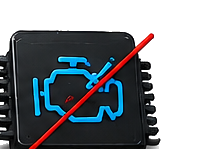
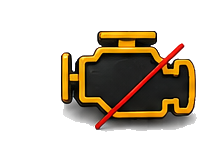
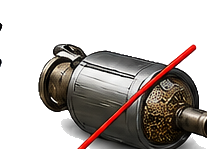
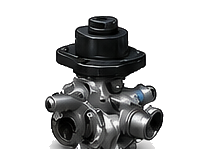
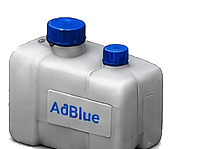
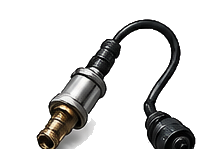
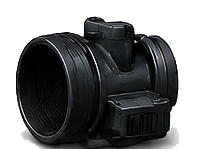
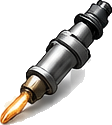


Coverage depends on the vehicle, the control unit and the read method. Categories above are typical of modern petrol and diesel systems; older or niche units may expose fewer channels.
Which fault types does our software show?
Standard OBD-II codes with what they actually mean. Manufacturer-specific codes outside this range are decoded too, with the text supplied by the control unit.
| Code | Meaning |
|---|---|
| P0010 | Camshaft position actuator circuit, bank 1 |
| P0016 | Crankshaft / camshaft position correlation, bank 1 |
| P0087 | Fuel rail / system pressure too low |
| P0090 | Fuel pressure regulator control circuit |
| P0101 | Mass air flow sensor — range / performance |
| P0102 | Mass air flow sensor circuit — low input |
| P0106 | Manifold absolute pressure — range / performance |
| P0113 | Intake air temperature sensor — high input |
| P0116 | Coolant temperature sensor — range / performance |
| P0128 | Coolant thermostat below regulating temperature |
| P0131 | Oxygen sensor circuit — low voltage, bank 1 sensor 1 |
| P0133 | Oxygen sensor slow response, bank 1 sensor 1 |
| P0135 | Oxygen sensor heater circuit, bank 1 sensor 1 |
| P0171 | System too lean, bank 1 |
| P0172 | System too rich, bank 1 |
| P0174 | System too lean, bank 2 |
| P0190 | Fuel rail pressure sensor circuit |
| P0201 | Injector circuit — cylinder 1 |
| P0234 | Turbocharger overboost condition |
| P0238 | Turbo boost sensor circuit — high input |
| P0243 | Turbocharger wastegate solenoid A |
| P0251 | Injection pump fuel metering control A |
| P0299 | Turbocharger underboost condition |
| P0300 | Random / multiple cylinder misfire detected |
| P0301 | Cylinder 1 misfire detected |
| P0335 | Crankshaft position sensor A circuit |
| P0340 | Camshaft position sensor A circuit |
| P0380 | Glow plug / heater circuit A |
| P0401 | Exhaust gas recirculation flow insufficient |
| P0402 | Exhaust gas recirculation flow excessive |
| P0403 | Exhaust gas recirculation control circuit |
| P0420 | Catalyst system efficiency below threshold, bank 1 |
| P0430 | Catalyst system efficiency below threshold, bank 2 |
| P0442 | Evaporative emission system — small leak detected |
| P0455 | Evaporative emission system — large leak detected |
| P0500 | Vehicle speed sensor A malfunction |
| P0504 | Brake switch A / B correlation |
| P0520 | Engine oil pressure sensor circuit |
| P0562 | System voltage low |
| P0606 | Control module processor fault |
| P0629 | Fuel pump control circuit — high |
| P0670 | Glow plug control module circuit |
| P0700 | Transmission control system — malfunction |
| P16xx | Immobiliser and key communication faults (manufacturer range) |
| P2002 | Diesel particulate filter efficiency below threshold, bank 1 |
| P2004 | Intake manifold runner control stuck open, bank 1 |
| P2015 | Intake manifold runner position sensor, bank 1 |
| P2033 | Exhaust gas temperature sensor circuit, bank 1 sensor 2 |
| P2080 | Exhaust gas temperature sensor — range / performance |
| P2096 | Post-catalyst fuel trim system too lean, bank 1 |
| P204F | Reductant system performance (SCR / AdBlue) |
| P2047 | Reductant injector circuit, bank 1 |
| P2201 | NOx sensor — range / performance, bank 1 |
| P20EE | SCR catalyst efficiency below threshold, bank 1 |
| P2463 | Diesel particulate filter — soot accumulation |
| P244A | Diesel particulate filter differential pressure too low |
| P244B | Diesel particulate filter differential pressure too high |
| P3000 | Hybrid / high-voltage battery system fault |
| C0035 | Left front wheel speed sensor circuit |
| C0040 | Right front wheel speed sensor circuit |
| C0561 | ABS system disabled by control module |
| B1000 | Control module internal fault (body) |
| B1318 | Battery voltage low (body control module) |
| U0073 | Control module communication bus A off |
| U0100 | Lost communication with engine control module |
| U0101 | Lost communication with transmission control module |
| U0121 | Lost communication with ABS control module |
| U0155 | Lost communication with instrument cluster |
| U0401 | Invalid data received from engine control module |
This is a short extract. A vehicle typically exposes several hundred codes across all its control units.
From payment to a working setup in four steps
No shipping, no waiting on a technician.
Choose and pay
Pick v1, v2 or a single operation. Payment is confirmed automatically.
Get your download
Your download link and access code arrive by e-mail right after payment.
Install and activate
Run the installer on Windows and paste your key once. That is the whole setup.
Start working
Drop a file in. It opens in the software and the fault clearing runs.
Questions we get before buying
What is the difference between v1 and v2?
They process files the same way. v1 has no panel screen: you double-click a file and it opens straight away. v2 adds the built-in browser panel, saved sessions, automatic sign-in, job history and output templates.
Which systems does it run on?
Windows desktop. macOS and Linux are not supported at the moment.
Is this a subscription?
No. Both versions are a one-time payment and your access never expires.
Can I use it on more than one computer?
Yes — the software is not locked to a single machine, so you can move it when you change computers. Your purchase covers your own workshop; please do not pass the files or your access code on to anyone else.
What if it does not work on my setup?
Contact us before opening a dispute. If we cannot get it running on a supported system, you get your money back — see the Refund Policy.
Do you build software to order?
Yes. Describe the job and we will scope it, quote it and agree the price before any work starts.
Ready when you are
Pick a version above, or tell us what you need built.